
At ManageMe, we believe social media approvals should be clear, simple, and stress free. To make this happen, we use Airtable as our central social media approval tool. Airtable allows you to review social media content, leave feedback, and approve posts with full visibility before anything goes live.
This guide explains how to use Airtable for social media approvals, what Airtable is, why ManageMe uses it, and how you can easily review and approve your social media content with confidence.
What is Airtable #
Airtable is a collaborative online platform that combines the simplicity of a spreadsheet with the power of a database. It allows information to be organised visually, updated in real time, and shared easily between teams.
For social media approvals, Airtable acts as a shared workspace where you can see upcoming posts, captions, visuals, and approval status all in one place.
Why ManageMe Uses Airtable #
We use Airtable to make the social media approval process smooth, transparent, and reliable for our clients.
Share social media content #
All planned social media content is uploaded into Airtable, including captions, visuals, platforms, and scheduled dates. This gives you a clear view of what is coming up and how your brand will appear online.
Make approvals simple and transparent #
Instead of long email chains or scattered messages, Airtable keeps everything in one place. You can review content at your convenience and clearly see what is approved, what needs changes, and what is still under review.
Track feedback, edits, and final approval status #
Every comment, suggestion, and update is logged directly against the content. This means nothing is missed, feedback is easy to follow, and changes are clear for everyone involved.
Ensure nothing is posted without approval #
Our process ensures that content is only scheduled once it has been approved in Airtable. This protects your brand and gives you peace of mind knowing you always have final sign off.
Using Airtable ensures that your short-form video strategy stays consistent and high-quality before anything goes live.
How the Social Media Approval Process Works #
Our Airtable approval process is designed to be simple and efficient. Here is how it works step by step.
Step 1 Receive your Airtable access You will receive an email invitation to Airtable using your nominated email address. Click the link and log in or create a free Airtable account if needed.
Step 2 Review your planned social media content Inside Airtable, you will see all upcoming social media posts, including captions, visuals, platforms, and proposed posting dates.
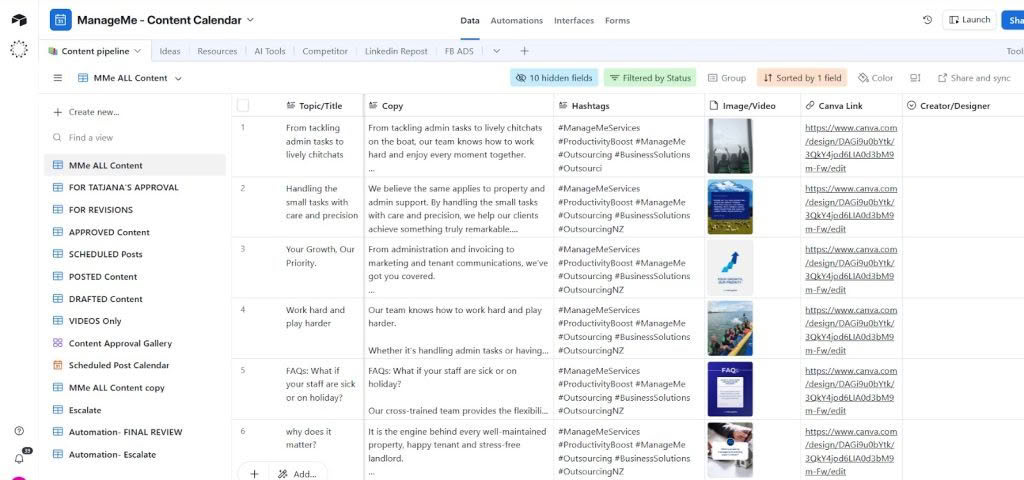
Step 3 Leave feedback or comments Click into any post to leave comments, request edits, or ask questions. All feedback is recorded in one place so nothing is missed.

- Click on “Expand” to expand each row to view the full caption and get a better look at the image.
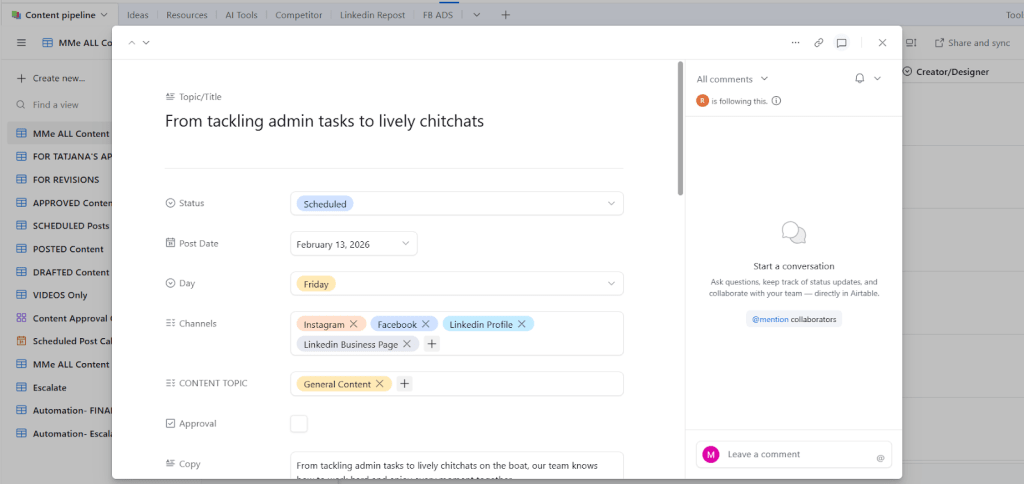
- If you have any feedback or would like changes, you can add your comments on the right-hand panel.
Step 4 Approve or request changes When you are happy with the content, mark it as approved. If changes are required, request edits and the status will update automatically.
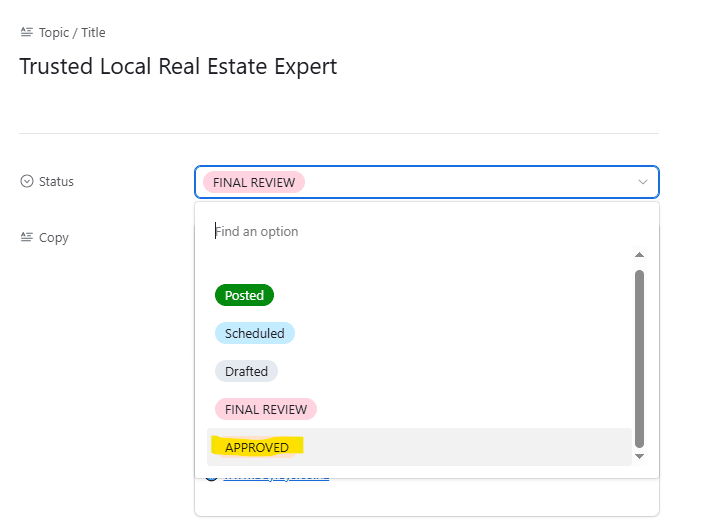
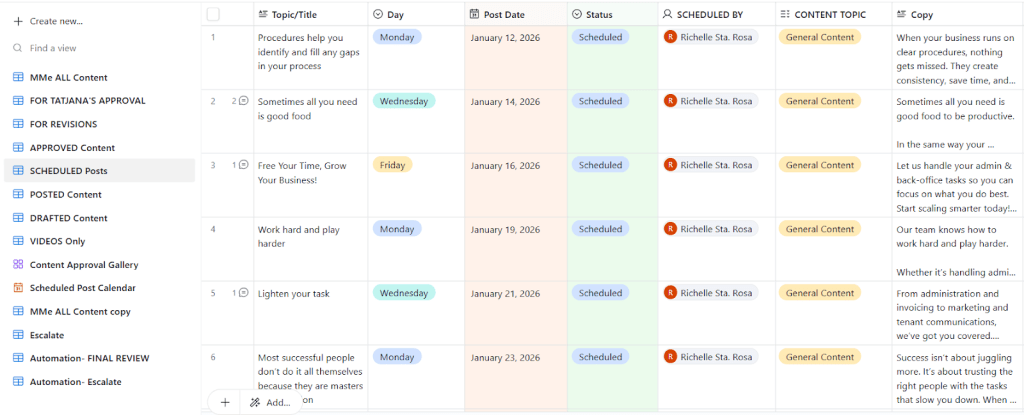
Step 5 Final scheduling by ManageMe Once content is approved, our team schedules the post. No content is published without approval.
What Access Is Required #
Clients are given editor access to Airtable using their email address. This access level is designed to be simple and user friendly.
With editor access, you can:
View all planned content #
You can see upcoming posts, captions, images, platforms, and proposed posting dates in one clear view.
Leave comments or feedback #
You can add comments directly to each post to request edits, ask questions, or provide feedback. Our team is notified instantly and can respond or make updates quickly.
Approve or request changes #
You can mark content as approved or request changes directly in Airtable. Once approved, the post is cleared for scheduling. If changes are requested, the status updates so nothing moves forward until you are happy.
Need Help #
If you have any questions about using Airtable or need help accessing your approval board, our team is here to help. Just reach out to your ManageMe contact or email our support team and we will guide you through it.
We are here to make your social media process easy, clear, and fully under your control.


