
Triggers, Actions, and Conditions Explained Simply
We break down the three core building blocks of automation, triggers, actions, and conditions, using clear examples and plain language. A beginner friendly guide from ManageMe to help you streamline your marketing without technical overwhelm.
Welcome to the Basics of Automation #
If automation feels confusing or overwhelming, you are not alone.
The good news is that every automation, no matter how advanced it looks, is built from just three simple parts:
- Triggers
- Actions
- Conditions
Once you understand these, automation becomes far less intimidating.
In this guide, we explain each one clearly so you can confidently spot automation opportunities in your own business.
What Is a Trigger? #
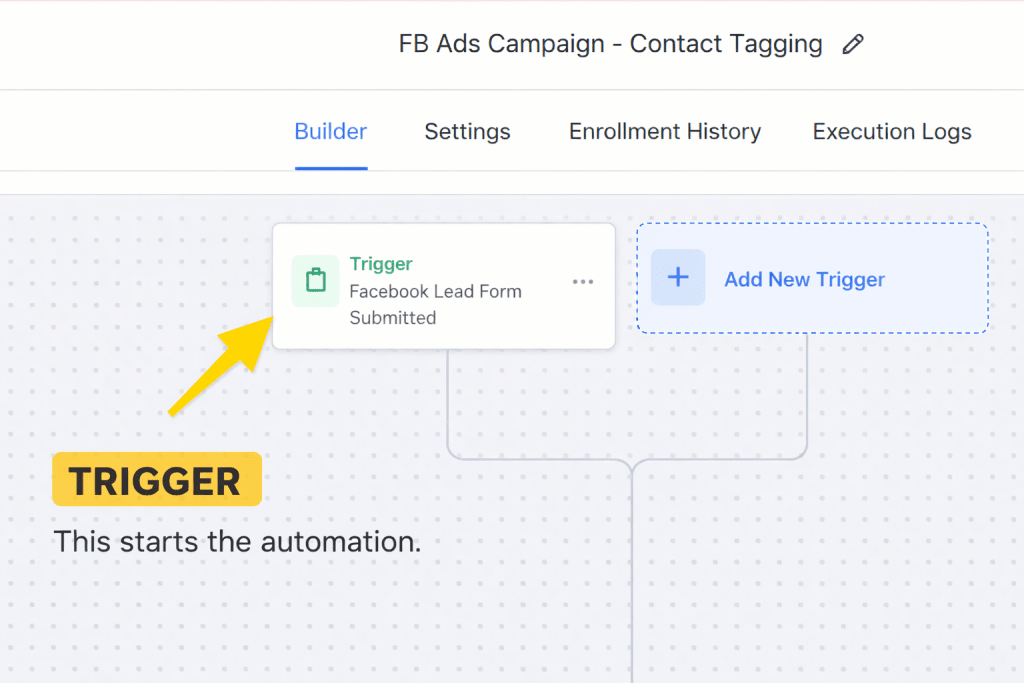
A trigger is what starts an automation.
It is the moment something happens that tells your system it is time to respond.
Think of it as the starting signal.
Common Trigger Examples #
- Someone submits a contact form
- A new lead is added to your system
- A client books an appointment
- A specific date or time arrives
In simple terms:
A trigger is the when.
What Is an Action? #
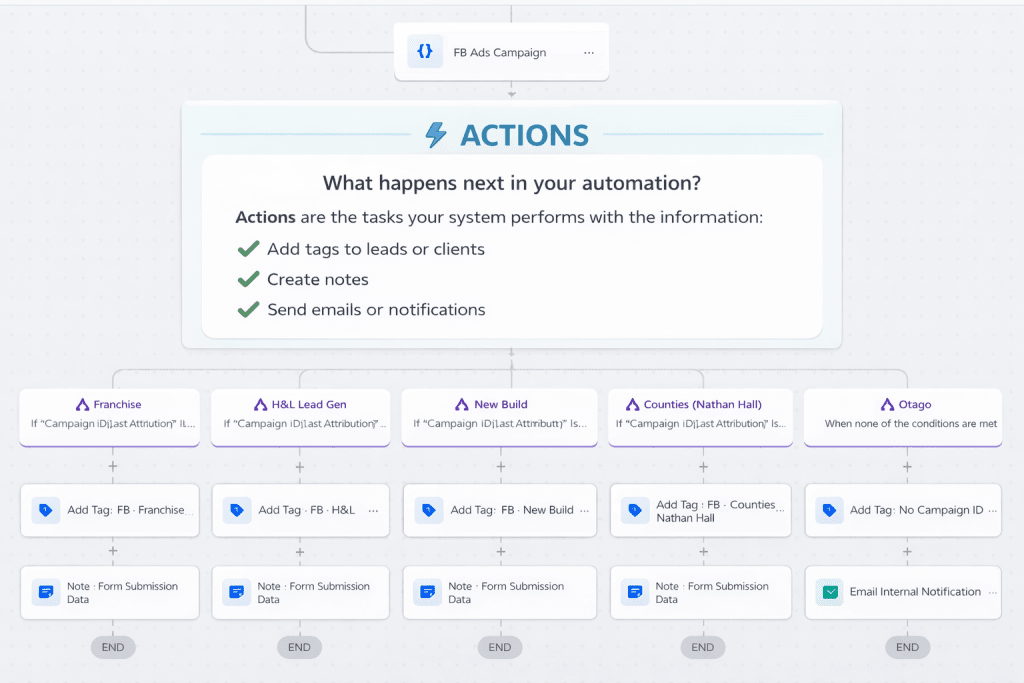
An action is what your system does after the trigger fires.
Once the automation starts, actions are the steps that happen automatically without you needing to lift a finger.
Common Action Examples #
- Send a welcome or thank you email
- Add a tag or label to a contact
- Notify you or your team
- Create a task or reminder
- Send a follow up message
In simple terms:
An action is the do this.
What Is a Condition? #
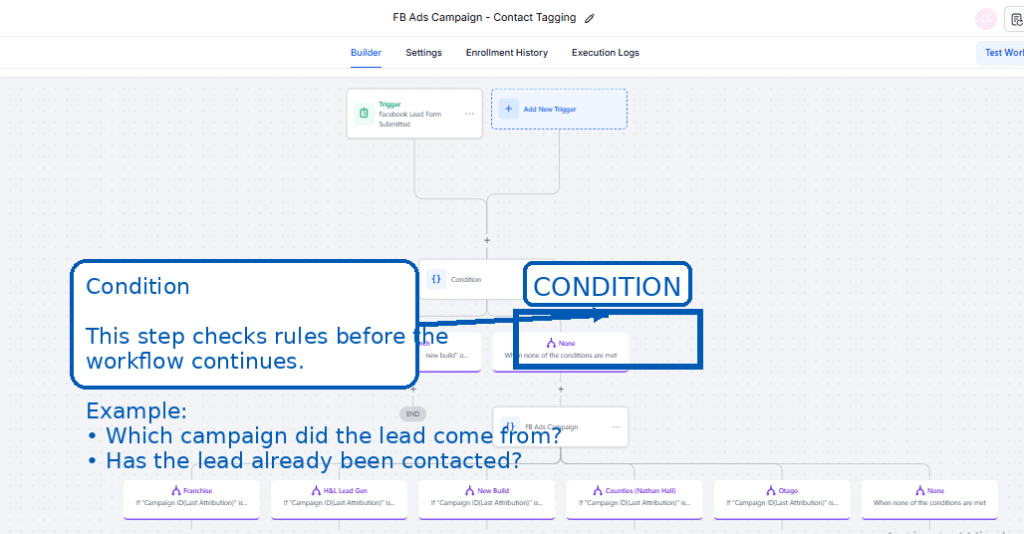
A condition is a rule that controls whether an action should happen.
Conditions help your automation make smarter decisions instead of treating everyone the same.
Think of it as a checkpoint.
Common Condition Examples #
- Only send the email if the contact has not replied
- Only continue if the lead is marked as interested
- Only send messages on weekdays
In simple terms:
A condition is the only if.
How Triggers, Actions, and Conditions Work Together #
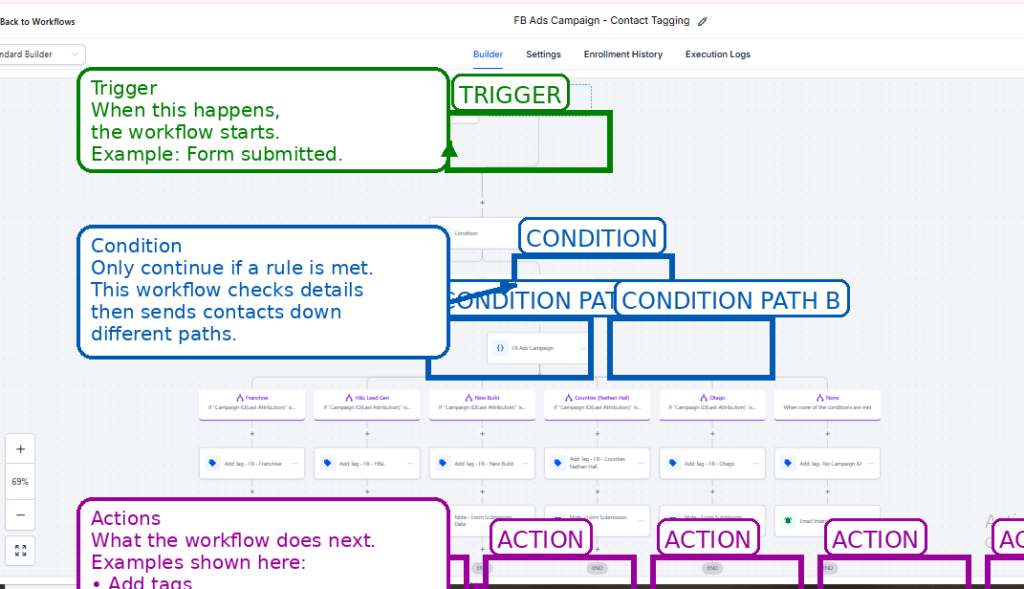
Let’s look at a simple, real world example.
Scenario #
A new lead fills out your website contact form.
Trigger
A contact form is submitted.
Condition
Only continue if the lead has not already been contacted.
Action
Send a welcome email and notify your team.
This ensures every new lead is acknowledged quickly, without sending duplicate messages.
Visual Flow Summary #
Trigger → Condition Check → Action
Form submitted → Has not been contacted → Send email and notify team
Why This Matters #
When you understand these three building blocks, you gain control over your systems.
Automation helps you:
- Respond faster
- Reduce manual admin
- Create consistent client experiences
- Keep things running smoothly behind the scenes
You do not need technical skills.
You do not need complex tools.
You just need to understand how these pieces fit together.
Mastering these building blocks is the first step before you plan an automation before you build it to ensure your systems are robust.”
Quick Recap #
Trigger
Starts the automation
“When this happens”
Action
Carries out the task
“Do this”
Condition
Sets the rule
“Only if”
Need a Hand Getting Started? #
Understanding triggers and actions is the key to a more efficient business. Whether you’re managing property in the Waikato or optimizing lead capture for a premium builder, we can help you assemble these building blocks into a system that works for you.
Book a Free Strategy Call: Let’s walk through your business processes and identify the triggers that will save you the most time.


